A faster way to switch your banking.
There's never been a better time to switch to CUSB Bank. With ClickSWITCH, our free automated tool, moving your automated payments and direct deposits is faster and easier than ever.
Access ClickSWITCH
What is ClickSWITCH?
ClickSWITCH is a free, automated tool that securely transfers your recurring direct deposits and automatic payments from your previous financial institution to your new CUSB Bank account. You simply enter your payment and deposit details into the secure system, submit your switches, and ClickSWITCH sends the updates on your behalf. You can also start the process of closing your old account and track the status of every switch in real time through your dashboard.
Four Easy Steps
- Open your CUSB Bank account. Once your new account is opened, you'll receive a SwitchTRACK code to activate.
- Access ClickSWITCH. Log in using your SwitchTRACK code. If you applied online, your code will arrive by mail within 3-5 business days.
- Submit your switch requests. Enter your automatic payment and direct deposit information into ClickSWITCH and submit each switch request.
- Monitor your status dashbord. Use the status dashboard to see when switches are sent, processed, and completed. You can also initiate closing your old account once everything has moved.
ClickSWITCH FAQs
Q: Is ClickSWITCH secure?
Yes. ClickSWITCH uses the latest in online encryption protection to gather and store your switch information. Additionally, our facilities adhere to the highest industry standards with regard to the security of your personal information.
Q: How long does it take to submit a switch request?
Submitting a switch typically takes less than 90 seconds.
Q: What do I need to start my switch?
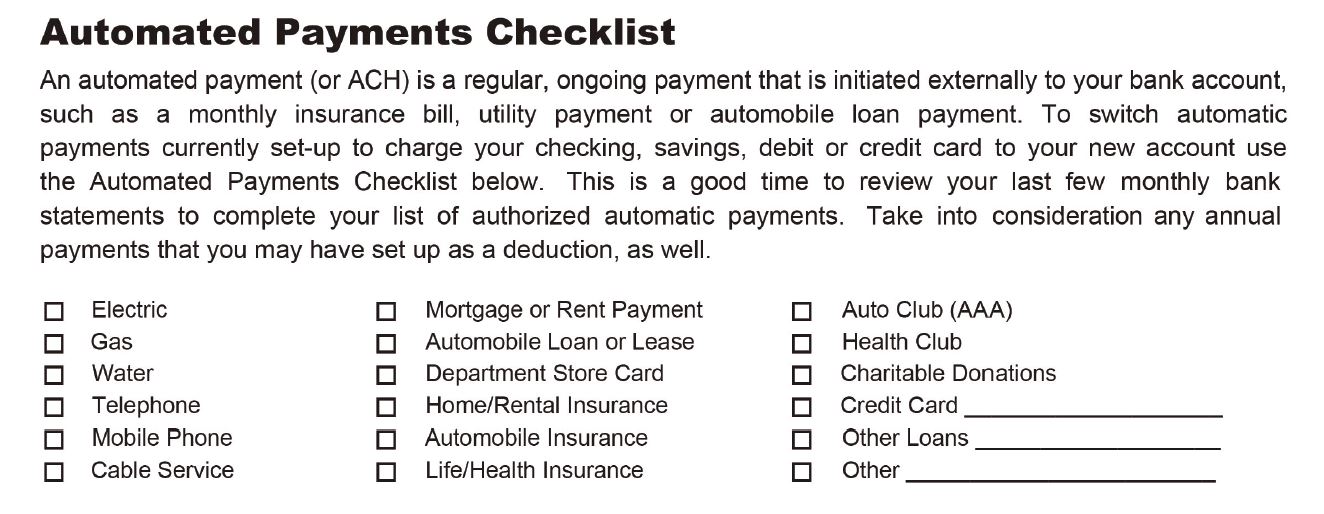
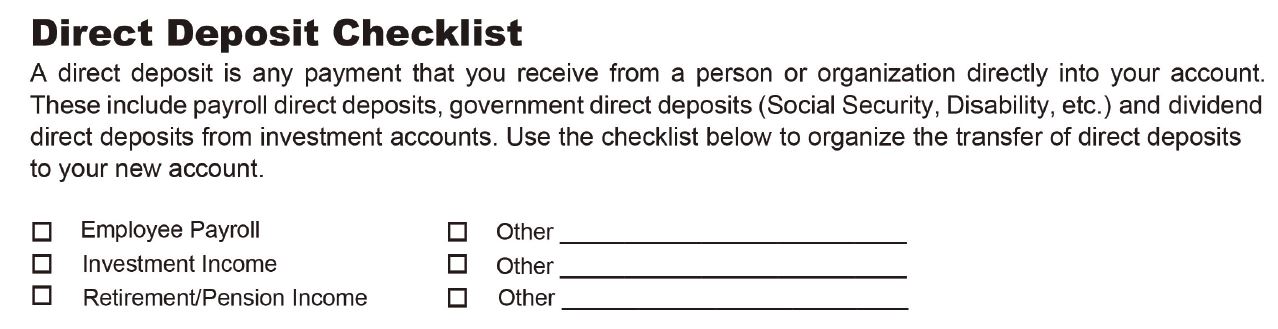
You’ll need to gather all of your automatic payment and direct deposit information to get your switches started. A previous statement is a great source of information for the automatic payments and direct deposits tied to an account.
Q: How do I log in and get started?
Getting started with ClickSWITCH is easy! Once you’ve been enrolled at account opening, you’ll need the SwitchTRACK code provided to you during enrollment, or you can activate your ClickSWITCH account through a mailing that you'll receive. Want to sign up now? Fill out the ClickSWITCH sign up form.
Q: Where do I get a SwitchTRACK code?
CUSB Bank provided you with a SwitchTRACK code form when you opened your account at the branch. If you fill out the sign up form online, your code will be mailed to you within 3-5 business days of signing up.
Q: Why do I need to enter my billing account number?
Companies require specific information to ensure your identity and to update the account information in their system.
Q: How long will it take for my switch to be complete?
Switches are processed and sent out within 24 hours of the switch being submitted. Once a company receives the form, automatic payment and direct deposit switches typically take 5-15 business days. Since the timeframe depends on the company receiving the switch request, it’s always a good idea to review your switch status page for the most current information regarding each switch and to continue monitoring your accounts. Timing for each switch can vary depending on the type of payment or deposit, the biller or depositor and the method needed to switch the payment or deposit.
Q: Do I need to call my billers and depositors to confirm the switch?
We display the status for each automatic payment or direct deposit in the Status column. If a switch shows as “Completed” there’s no need to contact the biller or depositor. For switches that are marked as “Mailed” for more than 15 business days, you may want to contact the biller or depositor to confirm the status and see if the company needs additional information.
Q: What is an automatic payment?
An automatic payment is a regular, ongoing payment that is initiated externally to your bank account, such as a monthly insurance bill, utility payment or automobile loan payment.
Q: What is a direct deposit?
A direct deposit is any payment that you receive from an organization directly into your account. These could include payroll direct deposits, government direct deposits (Social Security, Disability, etc.) and dividend direct deposits from investment accounts.
Questions?
Call us or visit any CUSB location for assistance.