Tap to pay. It's that simple.
The easiest way to pay is already in your hand. With digital wallet, you can use your CUSB Bank debit card on your smartphone for fast, secure, contactless payments, online or in-store. Whether you use Apple Pay® on your iPhone or Apple Watch®, Samsung Pay®, or Google Pay™, your debit card becomes even more convenient.
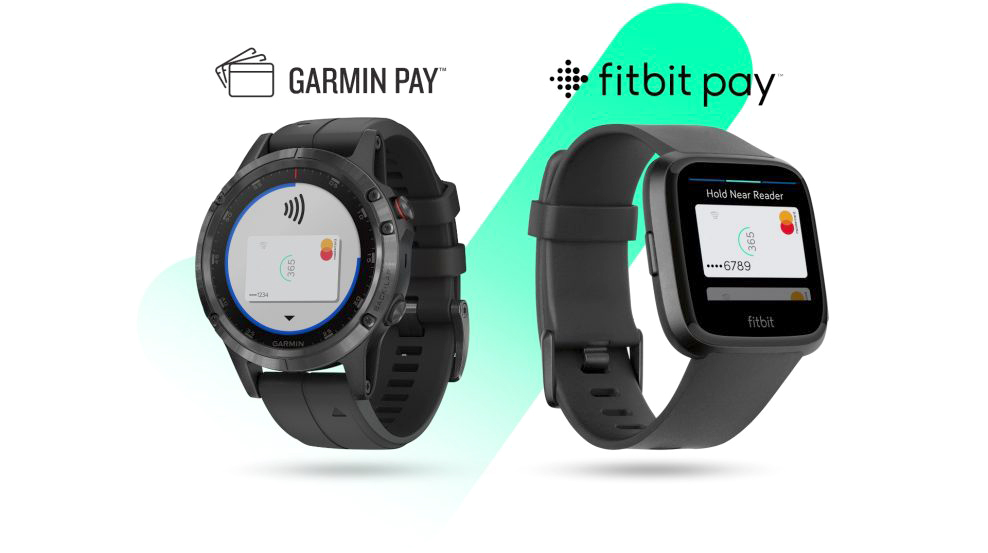
You can also pay with wearables, like select Fitbit® and Garmin® devices, by adding your CUSB debit card to the device and tapping at a contactless-enabled terminal.
What is Digital Wallet?
A digital wallet is an electronic service that lets you make secure transactions using your phone or device. You can make purchases online or tap-to-pay at stores, no physical card needed. CUSB Bank supports digital wallet access for all debit card customers.
Security Features You Can Count On
Digital Wallet adds three layers of protection to each transaction:
EMV Chip Authentification
Creates a unique verification code for every purchase.
PIN Security
Your debit card PIN adds another layer of protection.
Phone Security
Face ID, fingerprint, or passcode is required to make a purchase. Most card-present transactions normally use two layers (chip + PIN), but digital wallet adds an extra level of security.
Using Digital Wallet
Setting Up
- Open your phone's digital wallet app.
- iPhone: Open the Wallet app and tap the plus (+) sign to get started, then select continue.
- Samsung or Pixel: Open the Google Pay or Samsung Pay app and select set up.
- Add your debit card
- You can add your CUSB debit card two different ways:
- Taking a photo of the card
- Entering the card details manually
Be sure to verify that all information is entered correctly, including card number, expiration date, and security code. Accept the terms and conditions to continue.
Making Payments
- Find the digital wallet or contactless payment symbol on the payment terminal.
- Place your phone, smartwatch, or wearable close to the reader. Your wallet app may open automatically. If it doesn’t, simply open your wallet app manually and hold your device near the terminal again.
- Use Face ID, fingerprint, or your phone’s passcode to approve the transaction. The terminal will read the signal, communicate with your card, and process the payment, just like a regular card purchase.
- You can view all your digital wallet transactions within your wallet app.
Digital wallet payments work in stores, online, and inside mobile apps wherever you see the Apple Pay®, Samsung Pay®, or Google Pay™ logos.
Using a Smartwatch or Wearable?
You can add your CUSB debit card to Apple Watch®, as well as supported Fitbit® and Garmin® devices, through each device’s wallet app, just as you would on your phone.
Digital Wallet FAQs
Q: What do I need to use digital wallet/contactless payment?
- Your preferred device, whether that's a phone, smartwatch, or wearable.
- Your CUSB debit card.
- A contactless payment terminal.
Once you load your CUSB debit card onto your digital wallet, you can make payments without needing your physical card at accepting retailers.
Q: Is there a fee for digital wallet?
No. Digital wallet is a free service offered by CUSB Bank.
Q: Do I need data or Wi-Fi on for digital wallet to work?
Yes. Mobile data (or Wi-Fi) must be turned on so your phone and the merchant terminal can communicate.
Q: If I have a phone passcode and a debit card PIN, when do I use each?
- Phone passcode/Face ID/fingerprint: Used on your device to authenticate the transaction.
- Debit card PIN: If the merchant terminal prompts you, you’ll enter your card PIN just like you would when using the physical debit card.
Q: What happens when my debit card expires?
When you activate your new card, your digital wallet will not update automatically. You must:
- Remove your old card from the wallet app
- Add your new card by taking a photo and following the prompts
Not updating may cause digital wallet transactions to decline
Q: Does Brella work with digital wallet?
Yes. Your digital card and physical card function the same way. Any Brella blocks or restrictions still apply, and you will receive a fraud alert when you first set it up.
Q: What if I have issues verifying my card?
If verification fails or you hear “no such card exists,” one of the card details—card number, expiration date, or security code—may not match. The best solution is to remove the card from your wallet app and start the add-card process again.
Q: Why does my card verification go through SHAZAM instead of CUSB?
SHAZAM is CUSB Bank’s official card-verification and fraud-monitoring partner. Even if your phone prompts you to “Call CUSB,” SHAZAM may handle the verification on our behalf. You may be asked to confirm:
- Your name
- Your financial institution
- Your address
- Your card number
- Your SSN
- Recent transactions (businesses + amounts)
Q: What will I be asked when verifying my card?
You may be asked to verify your identity and activity using details such as your name, bank, address, card number, SSN, and recent transactions.
Q: Do I need iCloud set up to use Apple Pay®?
Yes. Apple Pay® requires iCloud to be enabled to function properly.
Q: Where can I use digital wallet/contactless payment?
You can use digital wallet at any accepting in-person or online retailor that has the Apple Pay®, Samsung Pay®, or Google Pay™ logos.